How employees opt in
Authorized employees sign in to the staff portal using an emailed sign-in code. In My availability, they enter their own mobile number, optionally select the initially unchecked SMS consent box, and click Save text preferences. Consent is separate from monthly availability submissions.
These screenshots document the signed-in employee experience. This public page does not collect consent or enroll anyone. Text delivery and phone verification remain pending activation.
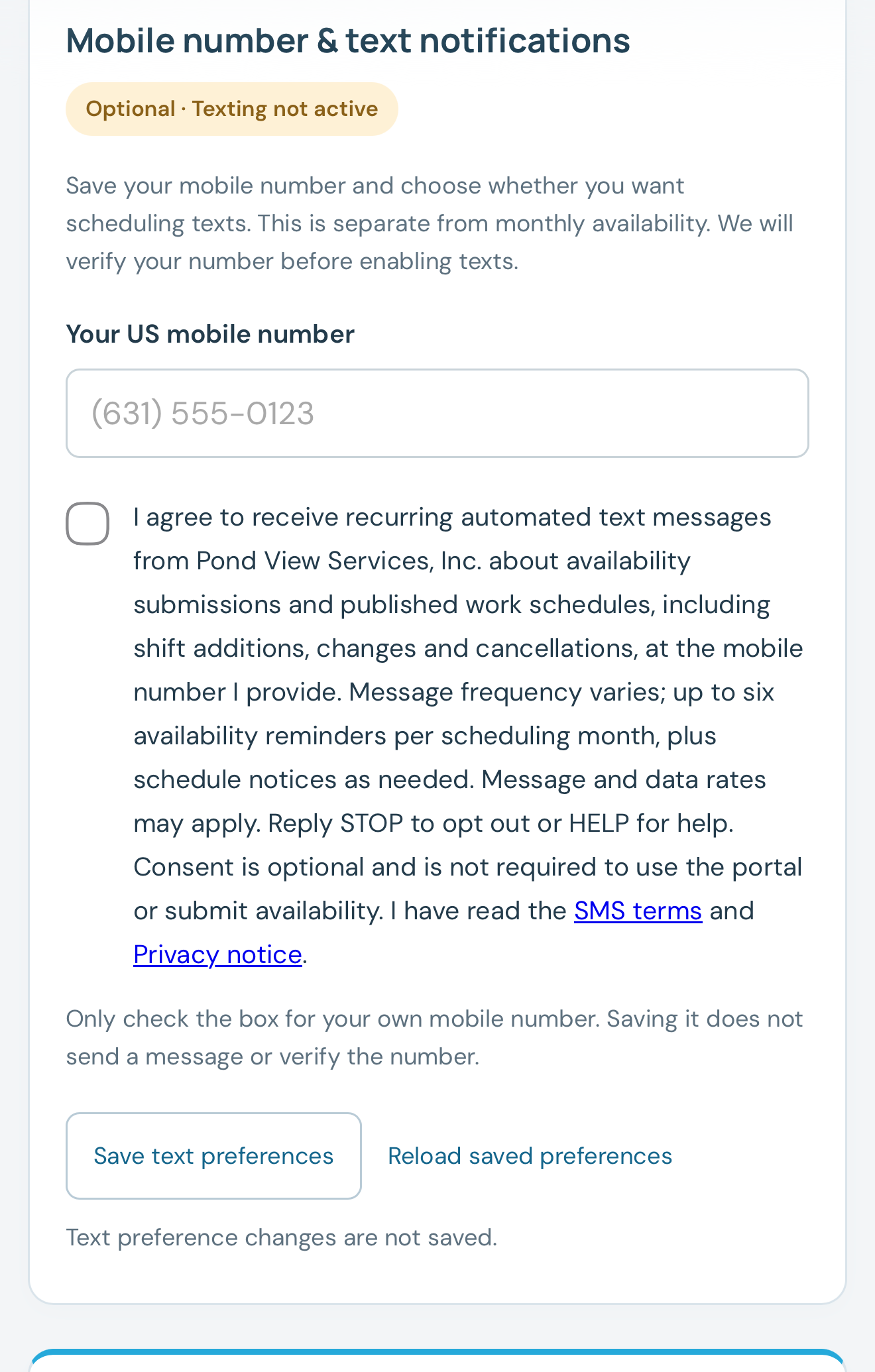
1. Before consent
The form displays an unchecked consent box, the message disclosures, links to the SMS terms and privacy notice, and the save button.
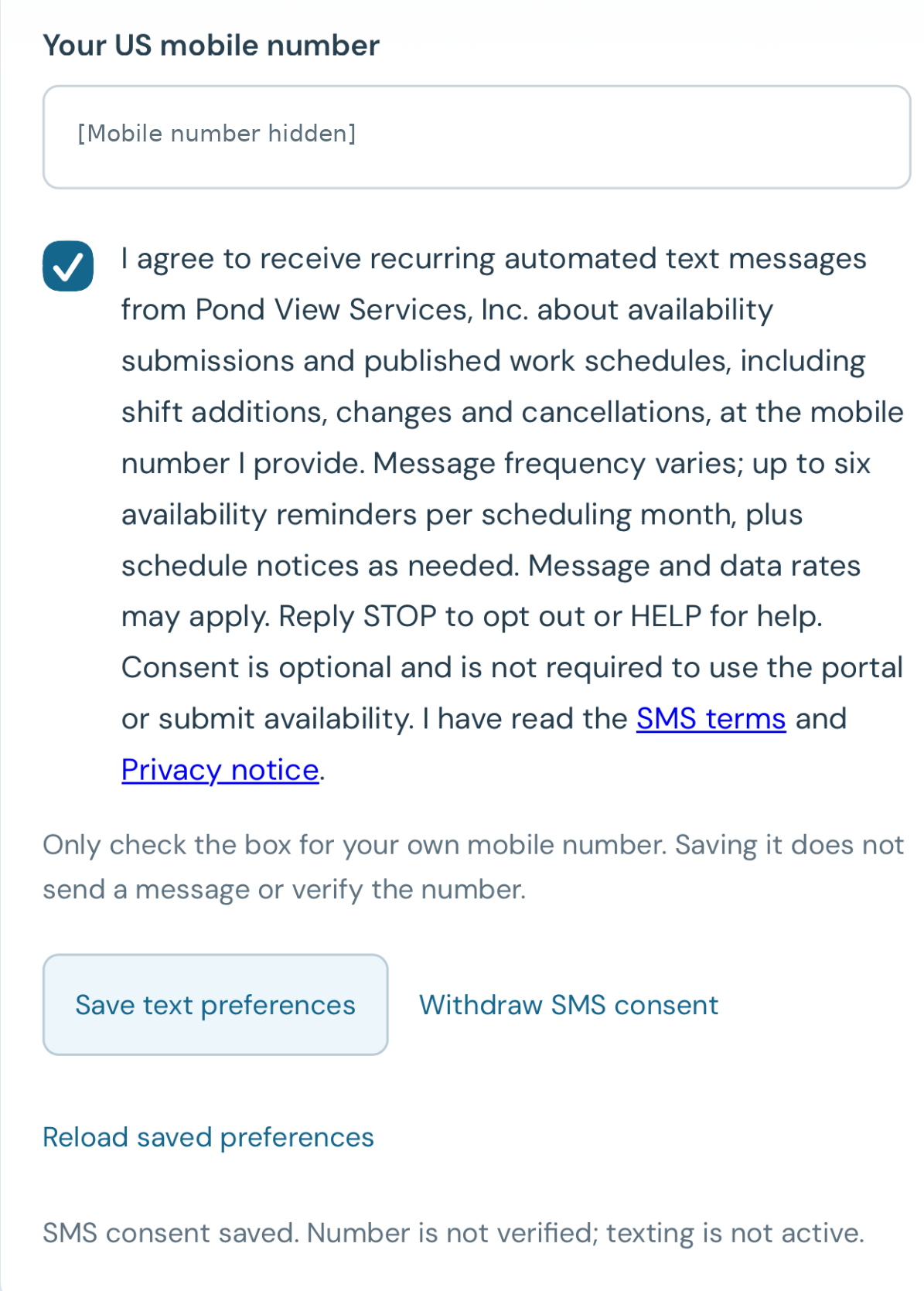
2. After saving consent
The checked consent box and saved confirmation appear after the employee saves their choice. The portal also provides a Withdraw SMS consent control.